We are now developing a website with drupal for a client. As the website is quite complex and we need handle many CSS files for modules and themes. Today I suddenly found that there are some CSS statements cannot work at IE. I have spent some time on that and finally we found IE cannot load some CSS files we add at the last in .info files. I guess IE has the limitation on the numbe rof CSS files load. But I don't believe in it because this is a tooooooooooo stupid reason....
After I had found same conclusion from others. I admit that I have put too many hopeness on IE.
In our case, we have 30 CSS files loaded in IE.
reference:
http://www.redfinsolutions.com/redfin-blog/ie-7-and-ie-8-impose-31-css-file-limit-drupal-beware
Showing posts with label theme. Show all posts
Showing posts with label theme. Show all posts
Wednesday, November 11, 2009

Thursday, July 23, 2009
Drupal template file -- Created by Yubis IT Solutions
Drupal is driven by templates file. Basically, files ended in *.tpl.php are the template files.
node.tpl.php controls how the content should be displayed. For example, you don't want to add the comment link for the nodes, you may set it here.
block.tpl.php controls how the blocks should be displayed. Div class may be added to the blocks, which helps to let its layout be modified by CSS.
- page.tpl.php
- node.tpl.php
- block.tpl.php
node.tpl.php controls how the content should be displayed. For example, you don't want to add the comment link for the nodes, you may set it here.
block.tpl.php controls how the blocks should be displayed. Div class may be added to the blocks, which helps to let its layout be modified by CSS.
Friday, July 3, 2009
Tools may help on customizing theme
CopyRights Reserved by Yubis IT Solution
These are very useful tools for you to trace the html code to find out the classes of element, in order to customize your design.
For FF:
Firebug:
download link: https://addons.mozilla.org/zh-TW/firefox/addon/1843
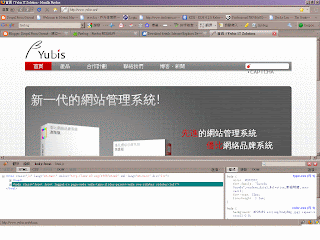
For IE:
Internet Explorer Web Developer Tools
download link: http://www.microsoft.com/downloads/details.aspx?FamilyID=E59C3964-672D-4511-BB3E-2D5E1DB91038&displaylang=en

These are very useful tools for you to trace the html code to find out the classes of element, in order to customize your design.
For FF:
Firebug:
download link: https://addons.mozilla.org/zh-TW/firefox/addon/1843

For IE:
Internet Explorer Web Developer Tools
download link: http://www.microsoft.com/downloads/details.aspx?FamilyID=E59C3964-672D-4511-BB3E-2D5E1DB91038&displaylang=en

Thursday, June 4, 2009
Add new themes
We want to make our own themes with designated background, theme color and logos. To add a theme, what we need to do is to create a package for this theme. Copy the existing theme from drupal/modules to drupal/sites/all/themes/
The folder containing the theme should match the name for the .info file inside the package. Modify the first line of the info file for NAME field to whatever human-readable name you call it.
After that, you'll see the new theme in Home/Administer/Site building/Themes/.

The folder containing the theme should match the name for the .info file inside the package. Modify the first line of the info file for NAME field to whatever human-readable name you call it.
After that, you'll see the new theme in Home/Administer/Site building/Themes/.

Subscribe to:
Posts (Atom)